Built-In AI Assistant That Knows Every Feature
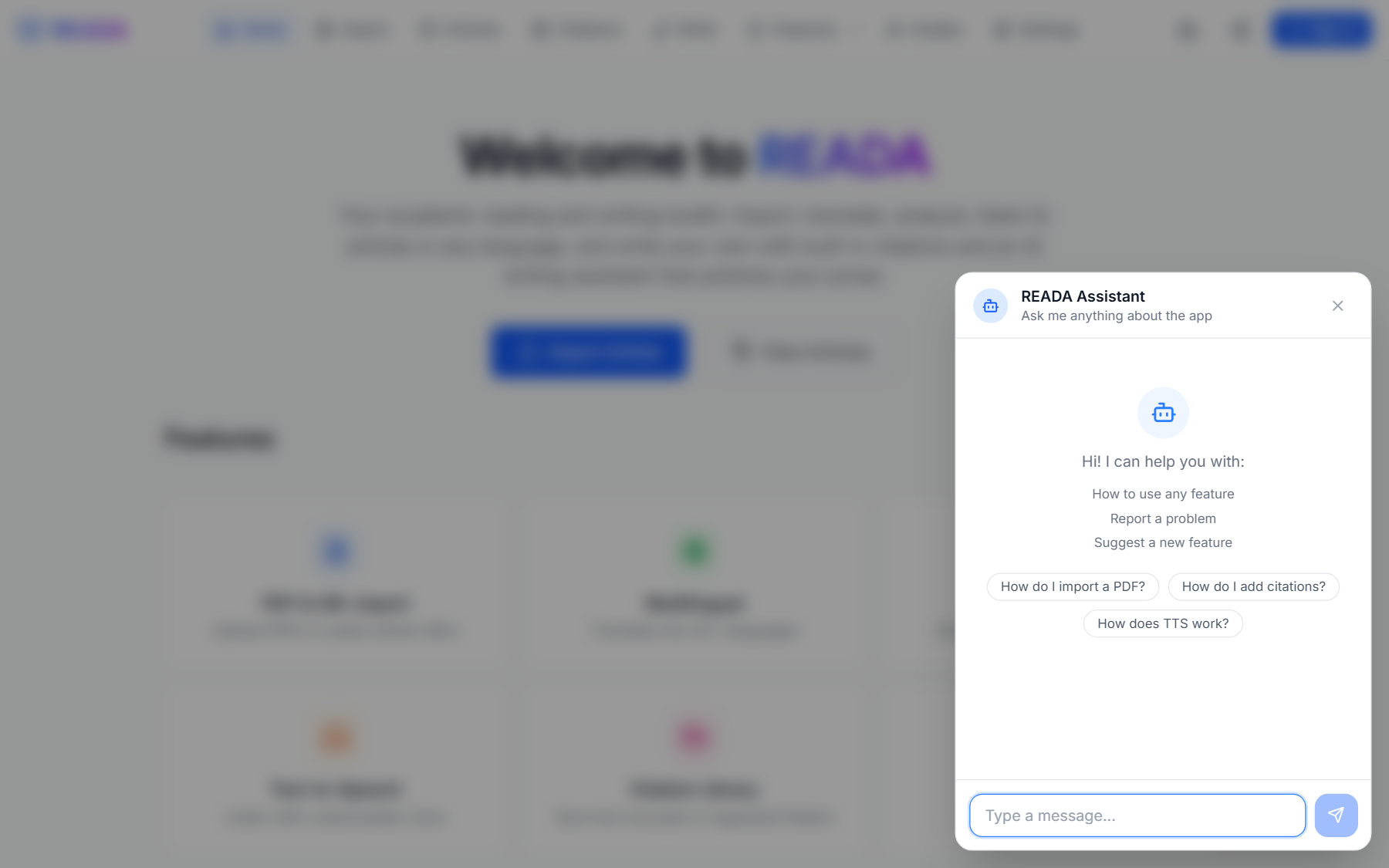
Tap the assistant icon to open a chat with READA's built-in AI helper. Ask how anything works, report a bug, suggest a feature — the assistant understands every corner of the app and answers in your language.
The Personal AI Assistant is your pocket-sized support team. Tap the robot icon in the header and a chat opens with an assistant that knows every feature of READA in detail — importers, translation, the reader, citations, the writer, everything. Ask how something works and get a clear answer, faster than reading docs.
The assistant also doubles as a feedback channel. Found a bug? Describe it and it logs a ticket for the team. Have an idea for a new feature? Share it and the development team sees it in the admin dashboard the next day.
Quick-start prompts make it easy to ask common questions — "how do I insert a citation?", "how do I change language?", "I found a bug" — without even typing.
How it works
- 1
Tap the assistant icon
Look for the robot icon in the top-right of the header.
- 2
Type a question or pick a quick-start prompt
Preset prompts cover the most common questions so you can start without typing.
- 3
Read the answer
The assistant knows every feature in detail and answers in your language.
- 4
Report a bug or suggest a feature
Describe the problem or idea. The message reaches the admin dashboard the next day.
Benefits for you
- Instant help without leaving the app.
- Knows every feature in depth.
- Takes bug reports and delivers them to the dev team.
- Collects feature requests.
- Answers in your language.
- Quick-start prompts for common questions.
How people use it
- A new user asks "how do I import a PDF?" and gets a step-by-step answer.
- A reader who hits an error describes it and the team has a repro case within hours.
- A power user suggests a feature that ships in the next release.
Who it's for
- First-time visitors learning the app.
- Users who hit unexpected bugs.
- Power users with ideas for making READA better.
Where it lives in READA
- The assistant icon (robot) sits in the top-right of the header, next to Share.
- Clicking it opens a chat dialog overlay.
Frequently asked questions
Does the assistant know my personal library?
No. It knows READA's features, not your articles or citations, so nothing private is shared.
Which languages does it answer in?
Most major languages. It detects your writing language and replies in kind.
What happens when I report a bug?
Your message is logged to the admin queue along with useful context, so the team has a reproduction path when they triage.
Do feature requests actually get reviewed?
Yes. Every request is visible to the development team, and many have shipped in the following release.
Is there a cost to using the assistant?
No. It is free and unlimited for every READA user.
Related links
Ready to try it?
Jump straight into READA and put Personal AI Assistant to work on your next article.